CustomCalendarOnline Logo
CustomCalendarOnline
✨ Print-Ready Vector CalendarsUpdated for 2026 & 2027

Create & Print Your Custom Calendar in Seconds

Select any design below to open in our live studio. Add personal photos, customized color palettes, stickers, and country holidays — zero sign-up required.

🗓️

Monthly Calendar

Most Popular

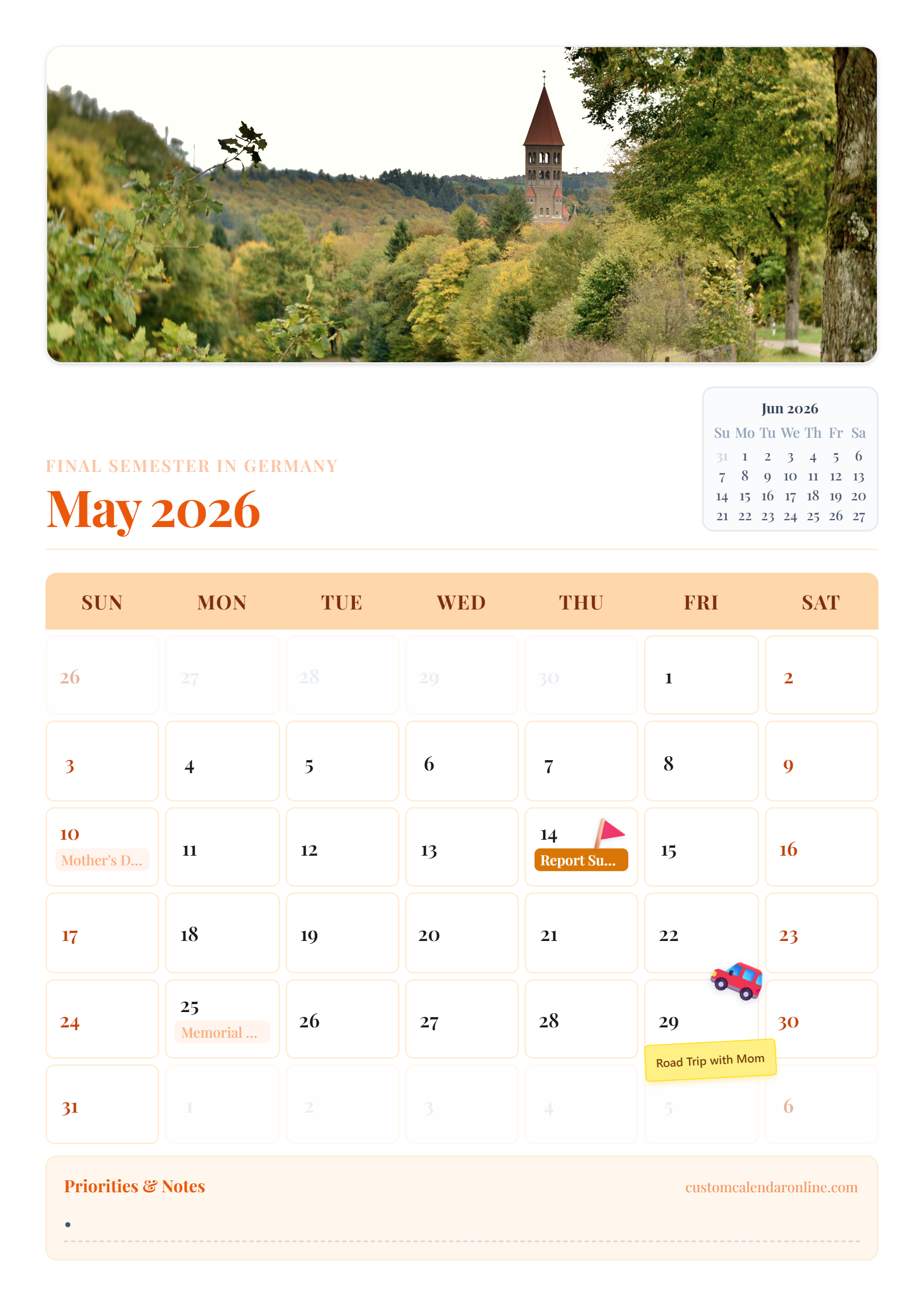
Spacious 30-day grids, custom photo headers, country holidays, and notes sections.

Live ExampleUS Letter & A4 Landscape • 300 DPI Vector
Personal Photo FramingLunar Moon Phases
Customize in Studio
MinimalistPopular

Minimalist Black & White

High-contrast ink-saver

Crisp black & white typography with maximum handwriting space for appointments.

  • High-contrast ink-saver
  • Spacious day grid
  • Custom notes section
Photo & KeepsakePhoto Ready

Vintage Polaroid Keepsake

Polaroid photo frame

Warm cream palette featuring a classic Polaroid-framed family photo header.

  • Polaroid photo frame
  • Warm editorial serif font
  • Mini next-month preview
EditorialTrending

Signature Coral Editorial

Lunar moon phases

Vibrant terracotta and warm peach tones with refined typography and moon phase icons.

  • Lunar moon phases
  • Terracotta badges
  • US/International holidays
NatureAesthetic

Nordic Forest Botanical

Earthy green tones

Calming sage and deep evergreen palette engineered for home sanctuary planning.

  • Earthy green tones
  • Full-bleed photo cover
  • Gentle grid borders
📋

Weekly Planner

Productivity

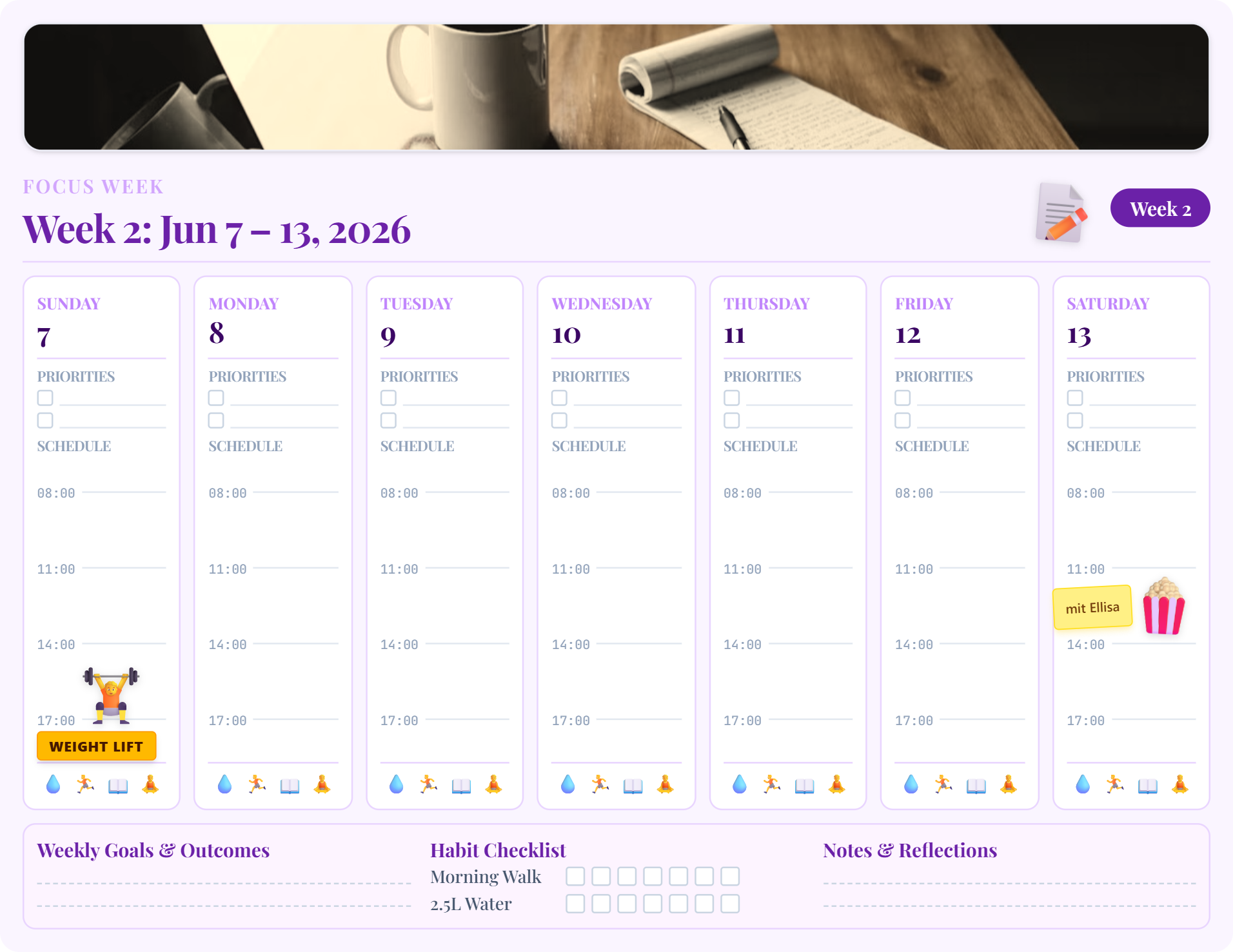
Hourly schedule time blocks, daily top-3 priorities, and habit tracker checkboxes.

Live ExampleUS Letter & A4 Landscape • Time Blocking
7am – 8pm Schedule GridTop 3 Daily Priority Tasks
Customize in Studio
ProductivityBest for Work

Nordic Weekly Habit & Schedule

Hourly schedule 7am - 8pm

Comprehensive 7-day columns with hourly time blocking, priorities, and habit checkboxes.

  • Hourly schedule 7am - 8pm
  • Top 3 daily priorities
  • Hydration, workout & reading tracker
MinimalistPro Clean

Executive Minimalist Schedule

Zero ink distraction

High-efficiency black & white weekly planner layout for office desks and planners.

  • Zero ink distraction
  • Daily task checklists
  • Weekly milestone sidebar
Student & StudyVibrant

Sunset Peach Study Planner

Warm pastel highlights

Warm peach accents with generous notes space for students, teachers, and study sessions.

  • Warm pastel highlights
  • Exam & assignment checklist
  • Daily time slots
📅

Yearly Wall Poster

All-in-One

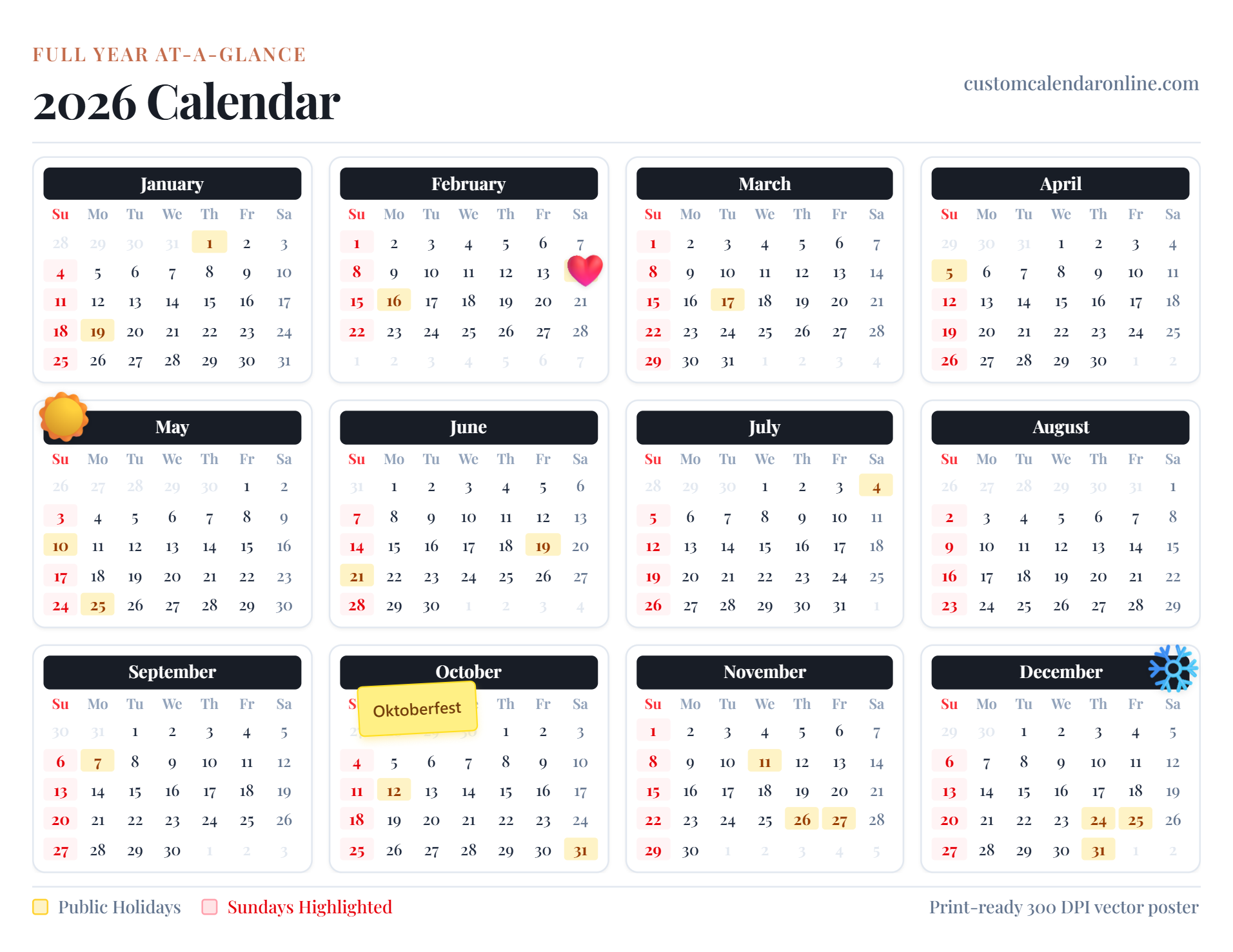
12 months at-a-glance single-sheet calendar charts for wall posters and office desks.

Live ExampleSingle-Sheet Poster • 12 Months At-A-Glance
All 12 Months Single SheetFederal & Country Holidays
Customize in Studio
Wall ChartPopular

12-Month Single-Sheet Wall Poster

12-month overview

All 12 months at-a-glance with highlighted holidays and weekend badges on a single sheet.

  • 12-month overview
  • US / International holidays
  • Perfect for A4 & US Letter wall print
Editorial PosterAesthetic

Vintage Cream Annual Planner

Classic serif numbers

Elegant serif typography on vintage cream paper styling for framing.

  • Classic serif numbers
  • Framed poster look
  • Quarterly milestone blocks
MinimalistInk Saver

Clean B&W Yearly Overview

Maximum contrast

Ultra-crisp 12-month calendar grid with zero clutter for office binders and refrigerators.

  • Maximum contrast
  • Minimal ink usage
  • Clean date boxes

Event Countdown

Milestones

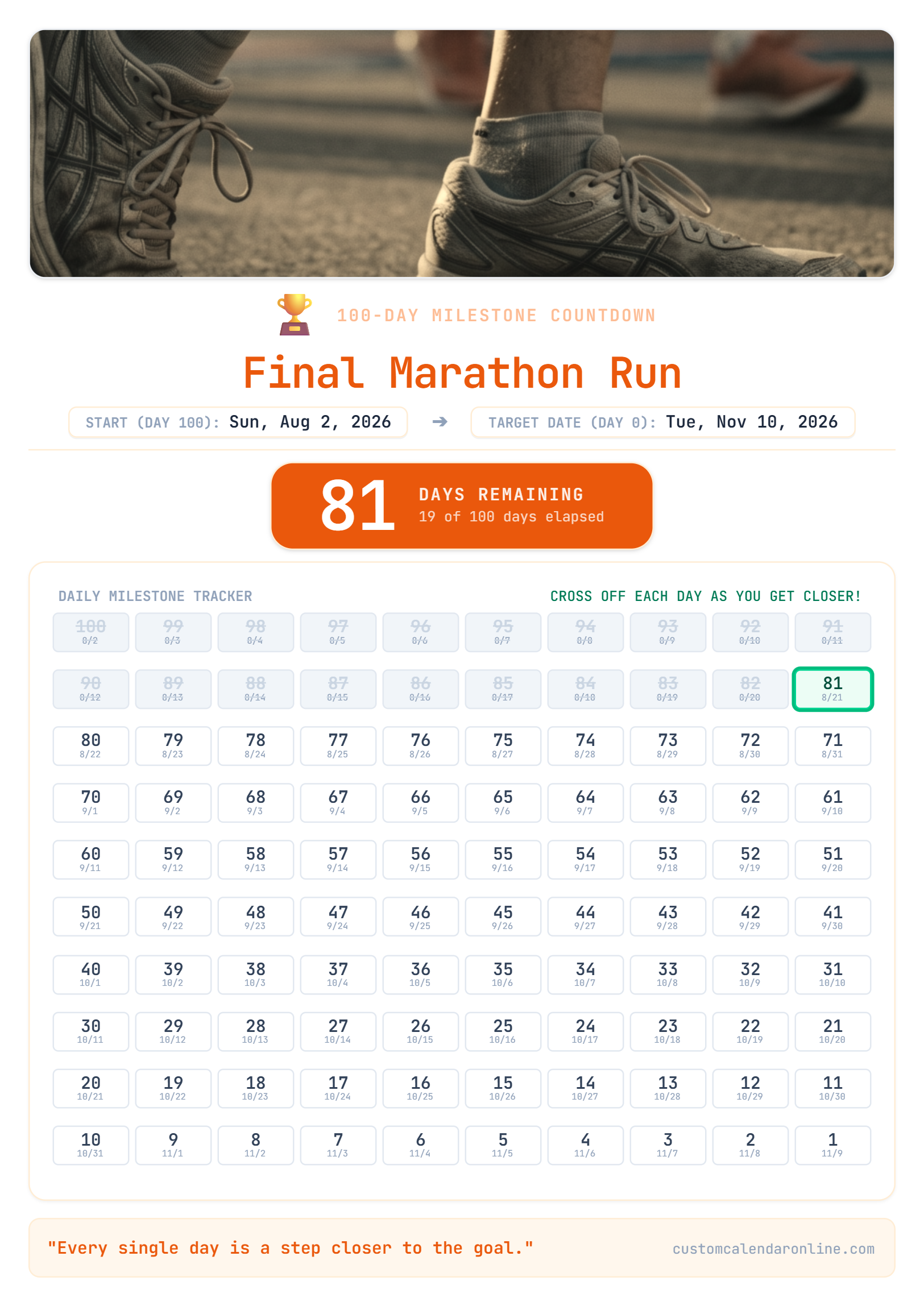
Daily countdown trackers for weddings, vacations, baby arrivals, and major milestones.

Live ExamplePortrait Milestone Matrix • 100-Day Grid
100-Day Milestone MatrixDays Remaining Counter
Customize in Studio
Wedding & LoveMilestone

Wedding & Big Milestone Countdown

100-day matrix check-off

100-day daily milestone check-off matrix with target day hero counter and custom photo.

  • 100-day matrix check-off
  • Milestone countdown counter
  • Personal photo header
TravelExcitement

Dream Vacation & Trip Countdown

Tropical theme palette

Track the days until your holiday getaway, flight departure, or bucket-list trip.

  • Tropical theme palette
  • Daily excitement tracker
  • Flight / packing checklist note
Health & FitnessGoal Tracker

90-Day Fitness & Challenge Matrix

Daily discipline check-off

Count down to marathon day, fitness goal, or personal transformation deadline.

  • Daily discipline check-off
  • Focus motivation title
  • Nordic forest emerald design
📱

Digital Planner (GoodNotes)

Tablet Ready

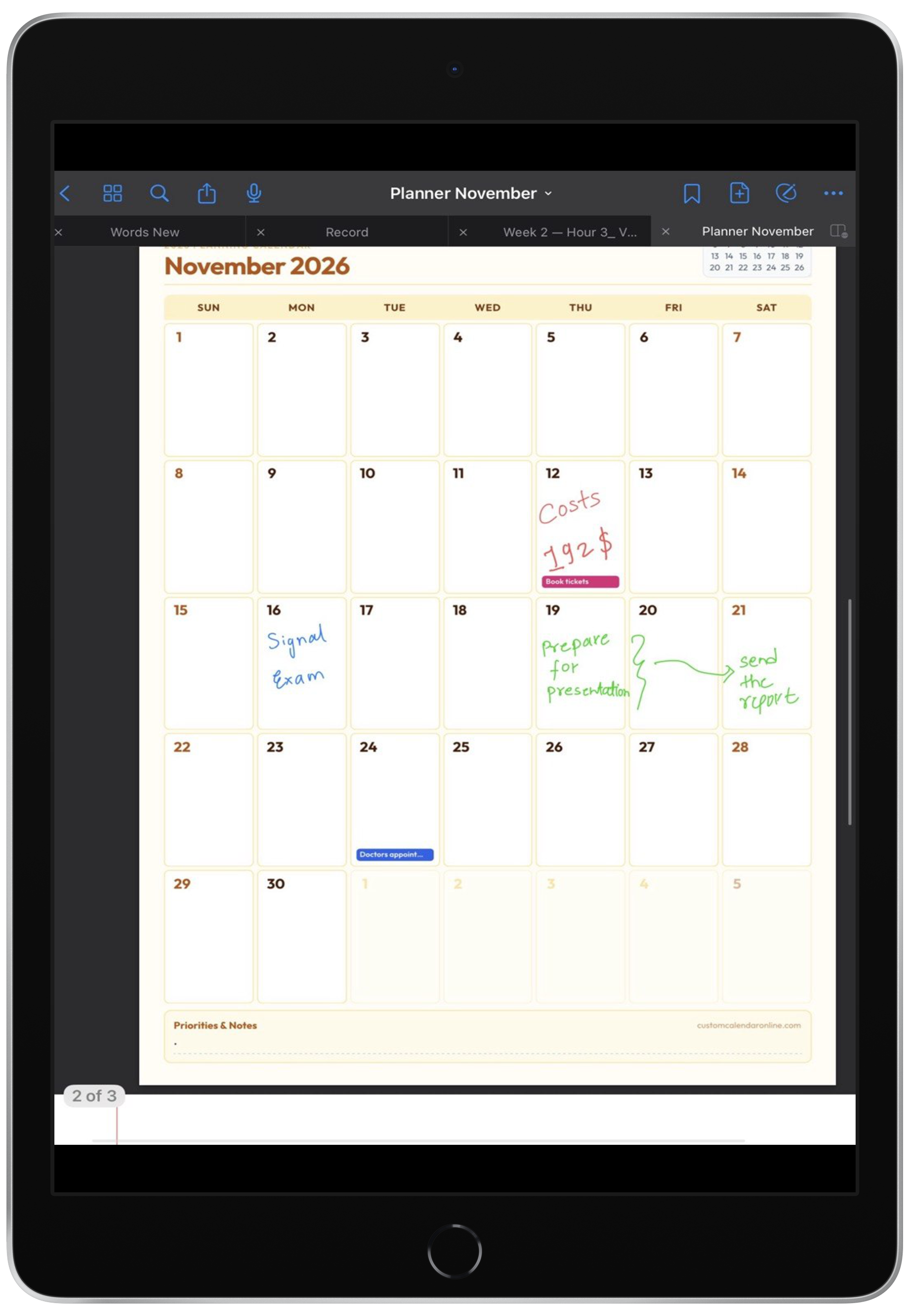
Digital PDF planners designed for iPad, GoodNotes, Notability, and stylus handwriting.

Live ExampleDigital PDF • Stylus & Apple Pencil Ready
GoodNotes & Notability SyncHyperlinked Section Tabs
Customize in Studio
Digital & TabletiPad Ready

iPad & GoodNotes Digital Planner

Optimized for GoodNotes / Notability

Hyperlinked monthly & weekly planner format formatted for Apple Pencil and tablet apps.

  • Optimized for GoodNotes / Notability
  • Paper texture aesthetic
  • Hyperlinked monthly tabs
📖 Complete Guide & Utility Overview

The Ultimate Free Custom Calendar Maker: Create & Print Custom Calendars Online for 2026 & 2027

Published by CustomCalendarOnline • In-depth guide to customized printable calendars, paper selection, and digital planning

Are you searching for a fast, intuitive, and reliable way to create custom calendar online layouts? Welcome to CustomCalendarOnline.com, the premier custom calendar maker engineered for individuals, families, teachers, students, and businesses who need high-quality custom calendar prints without the hassle of software installations or expensive subscriptions. Our web-based platform delivers the easiest way to make a custom calendar tailored to your exact lifestyle, aesthetic preferences, and scheduling workflow.

Whether you want to organize your household routines, map out corporate quarterly targets, count down to an unforgettable wedding, or print custom calendar online templates for your desk, our platform provides instant vector-quality outputs. Best of all, CustomCalendarOnline is a 100% custom calendar online free utility—you get instant 300 DPI PDF downloads with zero watermarks and zero forced sign-ups.

Why Make a Custom Calendar Online Instead of Buying Generic Planners?

Off-the-shelf wall calendars and generic grocery store planners suffer from rigid layouts, irrelevant regional holidays, fixed font choices, and zero room for personal memories. When you make custom calendar online layouts with our studio, you take complete creative control over every single design dimension:

📅 Flexible Date Ranges & Years

Seamlessly switch between custom calendar 2026 and custom calendar 2027 layouts, or generate single-month sheets with precise leap-year calculations.

🖼️ Personalized Photo Headers

Upload high-resolution family photos, vacation snapshots, couple portraits, pet pictures, or company logos directly onto your calendar header.

🌍 Multi-Country Holidays & Observances

Automatically toggle official public and bank holidays for the United States, United Kingdom, Canada, Australia, Germany, Austria, Switzerland, India, and more.

🗓️ Customizable Week Start Day

Choose whether your week begins on Sunday (traditional US/Canada format) or Monday (ISO standard / European format) to match your workflow.

🎨 Typography & Color Palettes

Pick from elegant serif fonts, modern sans-serif typography, or bold display styles paired with curated minimalist, pastel, dark mode, or vibrant palettes.

🌙 Functional Planning Modules

Add lunar moon phase badges, habit tracking grids, daily priority checkboxes, and notes sections to boost daily productivity.

Explore Diverse Layouts: From Monthly Custom Calendar to Weekly Planners & Countdowns

Every planning style requires a distinct structure. Our custom calendar maker provides five distinct layout engines tailored to different schedules:

Step-by-Step: How to Create Custom Calendar Online in 3 Simple Steps

Creating and exporting your personalized calendar takes less than two minutes:

Step 1

Choose Template & Year

Browse our extensive template library. Select a monthly custom calendar, single-sheet yearly poster, weekly productivity planner, or countdown tracker. Choose your target year (such as custom calendar 2026 or custom calendar 2027) and select your starting month.

Step 2

Personalize Your Canvas

Open the live Studio canvas. Upload your favorite photo header, adjust zoom and cropping, pick your color palette, toggle holidays for your country, and add decorative event stickers. You can customize font sizes, grid borders, and lunar phase icons in real time.

Step 3

Download & Print Online

Click the Export button to instantly generate a print-ready 300 DPI vector PDF or high-resolution PNG. Send the file directly to your home printer or take it to a commercial printing service for stunning physical prints.

Master Guide to Custom Calendar Printing & Paper Selection

To achieve professional-grade results for your custom calendar printing, paper choice and print settings play a critical role:

Print Use CaseRecommended Paper StockWeight & FinishKey Benefits
Home Desktop PrintingHeavyweight Premium Matte28–32 lb Bond (120–150 gsm)No ink bleed-through from pens, high contrast, smooth daily writing.
Premium Photo CalendarsCardstock / Satin Photo Paper65–80 lb Cover (180–220 gsm)Vivid color depth, sharp photo reproduction, sturdy hanging durability.
Commercial Print ShopsHeavy Cover Cardstock100 lb Cardstock (270–300 gsm)Professional feel, ideal for spiral or wire-bound wall & desk calendars.

💡 Crucial Printer Sizing Setting:

Always select Actual Size or 100% Scale (avoid 'Fit to Page' or 'Shrink to Printable Area') in your printer dialog to preserve exact grid dimensions and crisp 300 DPI vector lines for your custom calendar prints.

Seasonal Planning: Custom Calendar September & October Use Cases

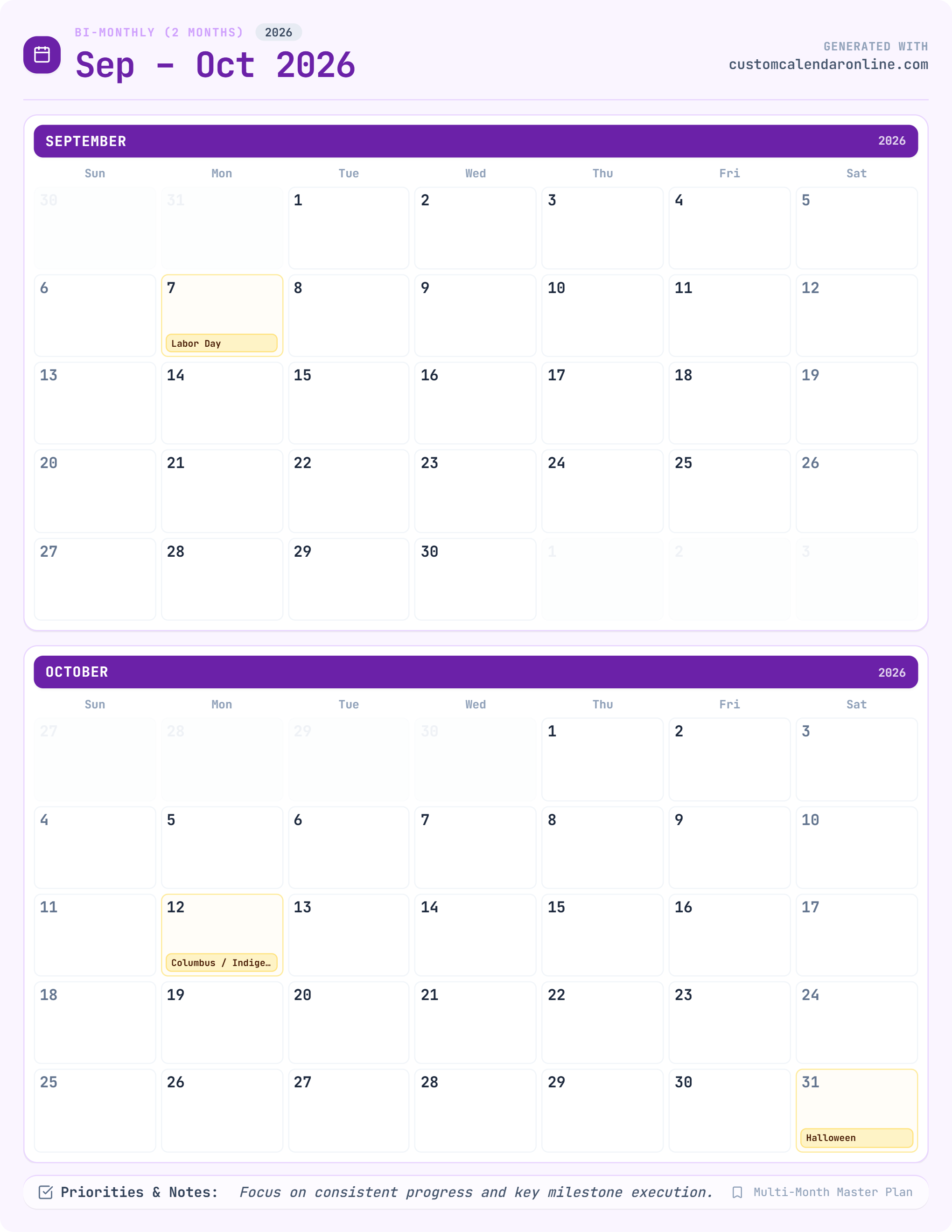
Seasonal planning is crucial for staying organized throughout the year. For instance, generating a dedicated custom calendar september sheet is ideal for organizing back-to-school schedules, academic syllabi, sports practices, and Q3 business reviews. Moving into autumn, designing a custom calendar october template helps families track Halloween festivities, fall harvest festivals, midterm exams, and Q4 budget allocations. With our flexible month picker, you can print individual months on demand whenever you need them.

Digital Planning Compatibility: GoodNotes, Notability & iPad

Prefer paperless productivity? Every PDF generated by CustomCalendarOnline is fully compatible with digital tablet note-taking applications, including GoodNotes, Notability, CollaNote, and Apple Pencil markup. Simply export your PDF, save it to iCloud, Google Drive, or Dropbox, and import it into your favorite iPad or Android stylus app for smooth digital handwriting. Explore our Digital Planner templates for dedicated tablet layouts.

Individueller Kalender Ausdrucken & Internationale Feiertage

Mit unserem Online-Editor können Sie ganz einfach einen individuellen Kalender ausdrucken. Wählen Sie deutsche Wochentage (Mo, Di, Mi, Do, Fr, Sa, So) und Monatsnamen (Januar bis Dezember) sowie offizielle gesetzliche Feiertage für Deutschland, Österreich und die Schweiz.

❓ Answers & SEO Guide

Frequently Asked Questions (FAQ)

Everything you need to know about creating, customizing, and printing your custom calendars online for 2026 & 2027.

1

How to make a custom calendar?

Creation & Setup

To make a custom calendar, select a template (monthly, bi-monthly, weekly planner, yearly poster, or countdown tracker) on CustomCalendarOnline.com, customize your layout by setting the year (2026 or 2027), choosing your week start day (Sunday or Monday), adding personal photos and country holidays, and clicking Download PDF for an instant print-ready 300 DPI vector file.

2

What is the best custom online calendar?

Comparison

CustomCalendarOnline.com is the best custom online calendar maker because it provides a frictionless, 100% free web studio with instant 300 DPI vector PDF exports. It supports custom photo headers, multi-month layouts, lunar moon phase tracking, international holiday databases (US, UK, CA, AU, DE, IN, etc.), and native compatibility with iPad digital planning apps like GoodNotes and Notability—all with zero watermarks and no sign-up required.

3

How to make custom photo calendar online 2027?

2027 Calendars

To make a custom photo calendar online for 2027:

  1. Open the CustomCalendarOnline Studio and select 2027 as your target year.
  2. Choose your preferred layout (single month, bi-monthly, or full 12-month yearly poster).
  3. Click Upload Photo to insert your favorite family, vacation, pet, or business pictures into the header canvas with zoom and alignment tools.
  4. Customize typography, color palettes, and country-specific holiday markers.
  5. Click Download PDF to export your 2027 photo calendar in high-resolution 300 DPI ready for printing or digital use.
4

How to create a custom calendar online?

Creation & Setup

Creating a custom calendar online takes less than two minutes: choose a pre-designed calendar template from our library, personalize the date range, grid styles, and font typography, customize with your own photos or stickers, and download your customized calendar instantly as a print-ready 300 DPI PDF or PNG file without registering an account.

5

Where to create a custom photo calendar online?

Studio & Tools

You can create a custom photo calendar online directly at CustomCalendarOnline.com/studio. The interactive web studio allows you to upload high-resolution photos into monthly, weekly, or yearly templates and download print-ready 300 DPI vector PDFs for free without installing any software.

6

Where to create a custom photo calendar?

Studio & Tools

You can create a custom photo calendar for free on CustomCalendarOnline.com from any desktop computer, tablet, or smartphone browser. It features a drag-and-drop photo uploader, customizable layout scaling, automatic lunar phase calculations, and vector PDF exports that you can print at home or at local print shops like FedEx Office, Staples, or Walgreens.

7

How to make custom calendar?

Creation & Setup

To make a custom calendar:

  • Step 1: Select your template style (monthly grid, weekly habit planner, yearly wall poster, or countdown tracker).
  • Step 2: Set your parameters (year, starting month, holiday region, Sunday or Monday week start).
  • Step 3: Personalize with photo headers, custom notes, color palettes, and event markers.
  • Step 4: Download your 300 DPI vector PDF and print at 100% scale on letter or A4 paper.
8

Where can i make a custom calendar?

Studio & Tools

You can make a custom calendar for free at CustomCalendarOnline.com from any device. The platform provides intuitive monthly, weekly, yearly, and event countdown generators with instant 300 DPI PDF downloads, zero sign-up requirements, and no watermarks.

9

Where to print a custom calendar?

Printing & Paper

You can print your custom calendar in several ways:

  • At Home or Office: Print the downloaded 300 DPI PDF on standard US Letter or A4 paper using heavyweight matte paper (28–32 lb bond) for crisp lines without ink bleed. Select Actual Size (100% scale) in printer settings.
  • At Local Copy Centers: Take or upload the PDF to FedEx Office, Staples, Office Depot, UPS Store, or Walgreens for high-quality cardstock prints (65–100 lb) or spiral-bound booklet options.
  • Online Printing Services: Upload the vector PDF to online photo printers for framed prints, canvas mounts, or laminated wall posters.
10

What is the easiest calendar maker?

Comparison

CustomCalendarOnline is widely considered the easiest calendar maker because it operates entirely in your web browser with zero registration, clean visual controls, instant live canvas previews, one-click photo uploading, and pre-configured international holidays. You can design, customize, and export a ready-to-print 300 DPI custom calendar in under 60 seconds.

11

What is the best free online calendar maker?

Comparison

The best free online calendar maker is CustomCalendarOnline.com. Unlike other tools that lock high-resolution downloads behind paywalls or add intrusive watermarks, CustomCalendarOnline provides 100% free unlimited 300 DPI vector PDF exports, full photo personalization, 2026/2027 year support, weekly time-blockers, countdowns, and full compatibility with iPad stylus apps like GoodNotes.

Ready to create your personalized calendar?

Open our live design studio now — no sign-up required, 100% free 300 DPI exports.

Open Calendar Studio